:::: MENU ::::

I Wrote a Book About Automating a Farm That Burned Down

I wrote a book. Again.

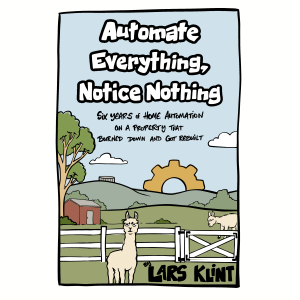
It’s called Automate Everything, Notice Nothing, and it’s about six years of automating this farm — water tanks, gates, heating, cameras, networks — and mostly about the parts that didn’t work.

It’s out now as an ebook and print-on-demand paperback.

The sentence the whole thing came from

In 2020 I complained to a friend about walking up a hill in the dark to look into a water tank. I’d done it hundreds of times. Torch, boots, uphill, look in the hole, walk back down, and repeat in three days when I stopped being sure again.

He answered with five words: pressure sensor, ESP32, Home Assistant.

That was it. That’s the whole origin. Everything on this property since — every sensor, every automation, every trench I’ve dug and every cable I’ve got wrong — traces back to somebody answering a complaint with a specific suggestion instead of sympathy.

The first chapter is about that tank. The last one is about a house that doesn’t exist yet.


What it’s actually about

The argument runs underneath every chapter and it’s this: the best automation is the kind nobody notices.

Not the impressive kind. Not the kind you demo to visitors. The kind where a thing you used to think about every few days quietly stops needing to be thought about, and eighteen months later you realise you’ve forgotten it exists.

Fiona has never opened Home Assistant. Not once in six years. That isn’t a failure of the system — that’s the specification. Her interface is a light switch that works, a warm bathroom, and a gate that’s already moving when she comes up the drive. If she ever has to learn how any of it works, I’ve done it wrong.

So the successes in this book are all invisible. Which makes for a strange thing to write about, and is why the book is mostly about the failures instead. Those are considerably funnier.


Some of the failures

There’s the night I automated the bore pump and it ran until morning, turning the paddock into a swamp for days.

There’s the guest in our cottage who climbed a wall to tape over the aircon sensor, because I’d built an automation against people’s behaviour instead of for it.

There’s the access point I mounted on the apex of the power shed with Tarzan’s Grip, which held perfectly for exactly three weeks before autumn thermal cycling had its say.

There’s the UPS video where I confidently explained my runtime calculations, having read 1800 watts as a quantity of stored energy rather than a rate limit. Someone corrected me in the comments. He was right, and I pinned it.

And there’s the gate, which I have now rebuilt so many times that my own video titles started saying “again”.

Every chapter has a section called What it cost me. A book of things that worked would be both dishonest and useless.


The ninth of January

On the 9th of January 2026 a bushfire came through this property.

It took four buildings, eight cars — six of them in the one shed — and a lifetime of collected things. I watched it from a motel room in Melbourne, on the cameras, until the power went and there was nothing to watch.

There’s one chapter about that afternoon. It’s the shortest one in the book. For about an hour everything worked perfectly: the sensors reported like it was any other day, the smoke alarms went off one after another exactly as designed, and then devices began dropping offline one at a time as the fire crossed the property. I could follow it by which things had stopped answering.

Then at about half past four the power went and the rest disappeared at once.

Five days later we came back with a generator and the system woke up, found the devices that still answered, and turned the lights on at six o’clock as though nothing had happened.

Automation has no model of catastrophe. It only has a model of absent devices.

The book has a chapter about that, and then it moves on. The fire is the hardest part of this story but it isn’t what the story is about. What it’s about is the ordinary business of making a place work.


Who it’s for

It’s a journal, not a manual. Fourteen chapters, roughly in order from 2020 to now, written so you can read it straight through even if you never intend to automate anything.

If you are here for the technical detail, it’s all there — but it’s quarantined into boxed sections called Deeper Cut, which you can skip entirely without losing the thread. Pressure sensors and why vented ones matter. Radio protocol choice and why my mailbox sensor was doomed from the start. Addressing schemes that survive growth. Backup strategies that survive your own laziness.

Read only those and you’d have a patchy reference book. Skip them all and you’d still have the whole story.


The drawings

David Neal illustrated it — he did my Manning book too, and he somehow draws the joke I was trying to make rather than the one I actually made.

There are fifteen of them, one per chapter, plus the cover. There are llamas hidden in some of them. That’s deliberate, and if you’ve watched the channel for any length of time you’ll know why.


Where to get it

The ebook is available now — EPUB and PDF, $9.95. The paperback is a proper 6×9, 158 pages, with all the illustrations, and it’s coming shortly.

It’s free for channel members. No catch and no discount code — it’s yours, and there’s a members post with the download.

That’s not generosity, it’s arithmetic. A large part of this book came out of six years of comments correcting my maths, catching my wrong cable, and suggesting better approaches than the ones I’d found on my own. It didn’t feel right to charge the people who supplied half the material.

Published under my own imprint, Woolshed Press — named after the building that housed my office until January.
Get the book →


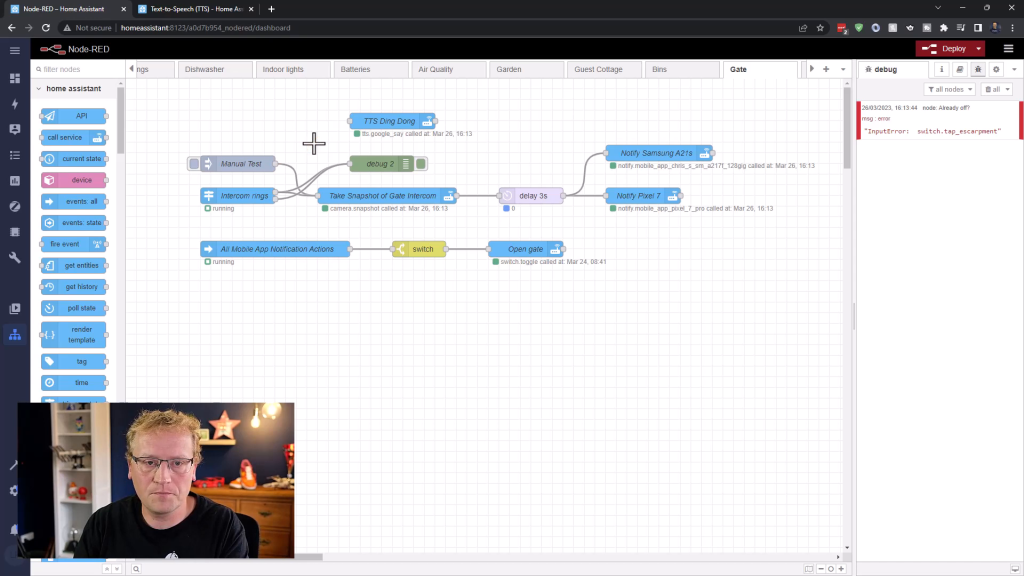
Setting Up Text-to-Speech in Home Assistant from Scratch

In this blog post, we will set up text-to-speech (TTS) in Home Assistant using Node-RED. This is a powerful feature that allows your smart home system to announce important alerts, messages, or notifications. If you’re new to Home Assistant, it is an open-source home automation platform that focuses on privacy and local control.

First, let’s enable text-to-speech for Home Assistant.

Enabling Text-to-Speech in Home Assistant

  1. In Home Assistant, go to the File editor.
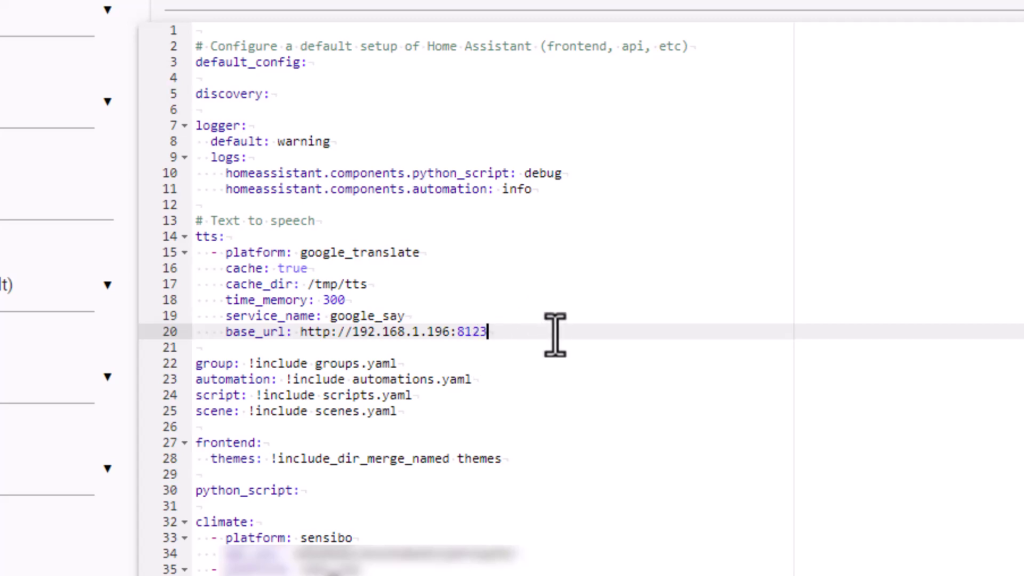
  2. Add the following code snippet to your configuration.yaml file.
text_to_speech:
- platform: google_translate
cache: true
cache_dir: tts_cache
time_memory: 300
service_name: google_say
base_url: http://<IP:PORT_OF_HOME_ASSISTANT>

This snippet enables text-to-speech using Google Translate as the platform. It also caches some of the sentences to speed up the process and sets up the google_say service.

Don’t forget to replace <IP:PORT_OF_HOME_ASSISTANT> with the IP and port of your Home Assistant instance.

  1. Save the changes and restart Home Assistant.

Now that we have text-to-speech enabled, let’s use it in Node-RED. Continue Reading


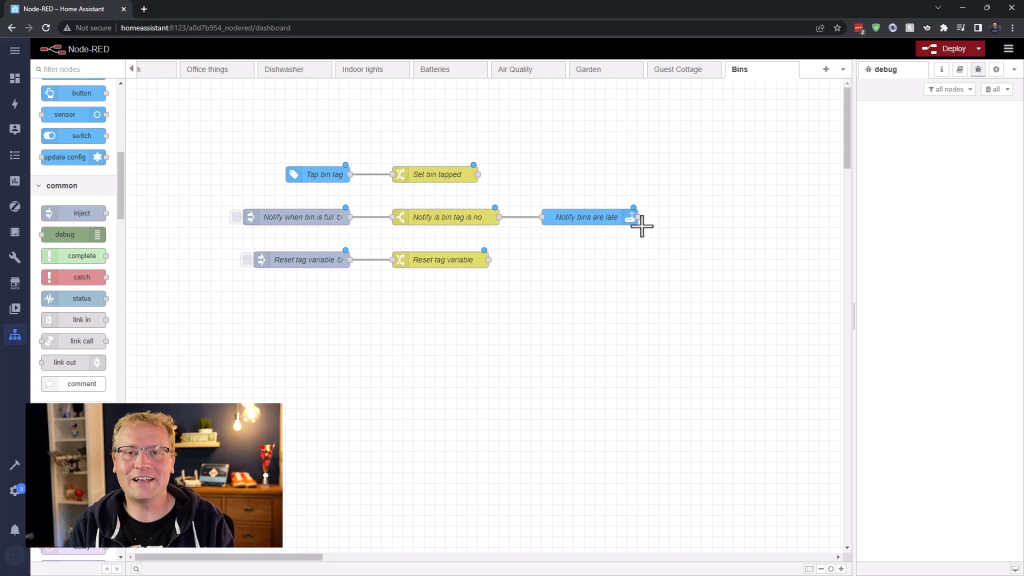
Using NFC tags in Home Assistant – Never forget bin day again!

This blog post is based on a transcript from a YouTube video that demonstrates a practical example of using NFC tags and Home Assistant to help you remember to take the bins out.

Do you often forget to put your bins out on the curb for collection? In this blog post, I will show you how to use NFC tags and Home Assistant to create a simple reminder system so that you never forget to take the bins down again.

NFC Tags and Home Assistant

Near Field Communication (NFC) tags are small, passive chips that do not require power. They can be activated when they come into contact with a compatible device, like a smartphone. In this example, we’ll attach an NFC tag to a bin and use Home Assistant to create an automation that reminds us to take the bins out.

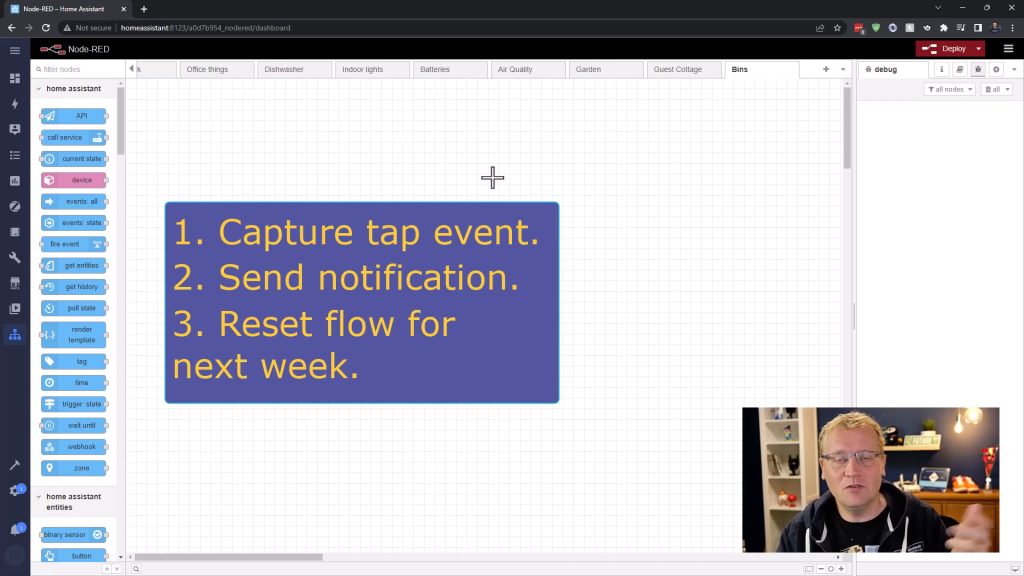
Here’s an overview of the process:

  1. Attach an NFC tag to the bin.
  2. Register the tag with Home Assistant.
  3. Create automation in Home Assistant using Node-RED
  4. Set a reminder cycle for the bin collection day.

Continue Reading


Automating Gates with Home Assistant

It has been over 4 years in the making, but the new front gates on the farm are installed, wired, connected, and now I can open them from anywhere! Alright, let me rewind. In October 2018, we started thinking about rejuvenating the front street side of the farm, as it had a fence and gate from the 1970s, had never been maintained and was just neglected. I started my research with the gate itself, as that seemed to be the most complex due to my requirements, which included:

  • Remote opening via a FOB, or remote control. This should work from as long a distance as possible. Driving up to the gate should be as seamless as possible with minimum time waiting at the gate for it to open, and the house itself is about 100 meters from the gate.
  • Keypad entry with a PIN for guests, regular deliveries (such as gas trucks), and when we need to.
  • Remote opening via Home Assistant, so I can both open from my phone and use it in automation scenarios.
  • Powered via solar as that is all we have down near the road.

The journey took me through a lot of various companies and products, but I ended up deciding on the gate openers from BMGi in Queensland. Not only did they have a great product that could do all of the above (with slight modifications), but their support was amazing. All of my nerdy questions over a whole year were patiently answered. The gates themselves were custom made, but due to a perfect storm of Australian pandemic lockdowns, labour shortage, material shortages and more, it took almost two years to have them made. So, finally, a couple of months I could install it all (with help), and now it is amazing. It works perfectly as intended and I couldn’t be happier. And of course I made a video about the whole journey. Watch. Enjoy.


Saving money and the environment with home automation

Stemming from a small issue of leaving doors open I got a simple idea which could save both money and the environment. Yes, a bold claim so let me explain.

We have a cottage we rent out on Airbnb. That is all great, and we meet some lovely people that come to visit. However, for some strange reason, people will turn on the air conditioning in summer to cool the place down, but then leave the door open so all the cold air goes straight out. In winter the heater mode will be on the reverse cycle air con, and again the door open. Why? Really good question, but we have seen it at least 20-30 times. Not only does that get expensive (heating/cooling the outdoors), but what a waste of energy as well.

To fix this issue I deployed a simple solution using an Aqara door sensor, and a Sensibo air condition smart controller. Now the air con turns off if the door is open for more than 15 minutes. Job done.

Check out the full video for all the details.


Measuring Air Quality with Home Assistant

Good air quality is one of those things you take for granted until you don’t have it. Many places have degrading air quality due to pollution or natural disasters and Australia is no exception. Even here on the farm in the middle of nowhere we are impacted. A few years ago, bush fires were so bad that the smoke from hundreds of kilometres away came our way and ended up affecting us so badly we had to drive to the coast for a few nights. On top of that my other half is asthmatic and is affected even worse. For that reason I wanted to have an early warning system for the farm, so we would know the air quality was deteriorating before it got critical.

I got hold of an air quality sensor that monitors the level of particles smaller than 2.5 nanometers, CO2 levels, formaldehyde, volatile organic compounds, temperature and humidity. Below is the journey, which didn’t quite go to plan. Enjoy.


This switch is completely quiet – USW-24-PoE

My Unifi network is at a point where it is maturing rather than expanding. Don’t get me wrong, I am still adding devices where I can and where needed, but I am starting to upgrade as well. One thing that has been on the list for a while is to get a gen 2 switch for the office both so I can use the fun AR feature, but also to get rid of the noise of the gen 1 switch which has its fans on constantly.

Unifi very kindly provided the USW-24-PoE for this upgrade and review, so enjoy. It’s so quiet….


A smart lock that doesn’t need internet nor an app

Every once in a while a new product in the world of smart devices comes along that is just a little bit different. For me it has been the Shelly Wifi module, and the Unifi OS launched with the Dream Machine Pro. These aren’t necessarily things that will change the world, but devices that goes a bit against the grain to create either a better experience or fill in a niche gap somewhere. They are creative approaches to existing issues and solutions.

Recently I was sent two smart locks from Brad at sticklabs.io, a tiny company in rural America. It was a year long process from first contact with Brad until I installed the locks on the farm, but it was worth it. These locks don’t require an internet connection, nor a smartphone app, yet are still considered “smart”. It is an approach to cater for scenarios that are remote and provide access to people that you might never meet in person, yet still need access.

I liked the idea so much I filmed the entire install and setup process, which you can see below. I am very keen to hear your thoughts on how you could use it (or not).


Bluetooth in Home Assistant – It’s easy!!

Although I have added dozens of sensors to my farm measuring temperatures, water levels, light, weather and much more, I have done it all with Wi-Fi, Zigbee and cabling. Until now. I have been wondering about Bluetooth connections for a while, mainly because I was sent some SwitchBot devices by Oz Smart Things. I couldn’t get my head around how it would work with Home Assistant and the Raspberry Pi 4 I use. I thought I would have to somehow install more hardware, until I realised that the RP4 comes with Bluetooth out of the box, and Home Assistant just knows about it. I realised this when the integration showed up automatically a couple of months back.

Because I couldn’t get my head around it, I thought I would document how to do it all, from installing a Bluetooth extension cable for better coverage to using the SwitchBot temperature sensor. It is all in the video below. It is super easy. Enjoy.


Mapping WiFi signals with Unifi and WiFiman

I am up to 15 Unifi access points now on the farm. That is a lot. However, I use the network more and more for various projects and devices, and that includes outside use to a large extent too. At times the signal drops out, gets weak, behaves weirdly or in some way throws me off. I have been using all sorts of (broken) tricks to figure out where the coverage was good and not so good. I even made a video about using the Unifi Design Center, which is a great tool for a building or other defined space. However, it was very limited for outside use.

Based on a tweet by my mate Troy, I learnt about the augmented reality signal mapping feature in Unifi’s WiFiman, which creates a heat map of your Wifi signal strength as you move around.

That gave me the idea to use it outdoors for my farm and figure out where my blackspots are. If you are using the Unifi products and have a UDM/UDM-Pro/UDR/UDM-SE on your network and you have enabled the WiFiman feature, you can also use it. So I made a video about how it all works. Enjoy 😊


Pages:1234567...16